Business Website Component Library Migration Success Stories
Understanding Design Systems and Component Libraries
Here's the thing about design systems: they're your brand's visual DNA made actionable. Think of it as the difference between having style guidelines gathering dust in a folder versus having living, breathing rules that actually shape what users see and feel when they interact with your products.
A component library? That's where the magic happens in code. It's the toolkit your developers reach for when they need to build something that feels authentically you across every touchpoint.
Design systems as a single source of truth
Look, I've watched too many teams argue about button styles for the hundredth time while deadlines loom. A design system stops that madness by creating one place where these decisions live and breathe.
What actually goes into a design system that works:
- UI components that cover your bases: buttons that feel right, forms that don't frustrate, modals that actually help, navigation that makes sense
- Visual DNA: your colors (and I mean the exact hex codes), typography that speaks your language, spacing that creates rhythm, icons that belong together
- Interaction blueprints: how users move through your flows, what happens when they mess up, how success feels
- The documentation that keeps everyone sane: real examples, accessibility notes that matter, clear do's and don'ts, plus the reasoning behind decisions
Sure, Material Design and Apple's HIG provide solid inspiration. But here's what I've learned: the best systems take those foundations and twist them into something uniquely yours.
Component libraries as the implementation layer
This is where design meets reality. Your component library transforms all those beautiful design intentions into code that actually ships.
But let me be honest about the tradeoff: stricter consistency can feel like moving through molasses at first. Your team goes from "let's just hack this together" to "we need to follow the established patterns." The payoff comes later when you're shipping faster because the decisions are already made.
Migration framing and practical workflow
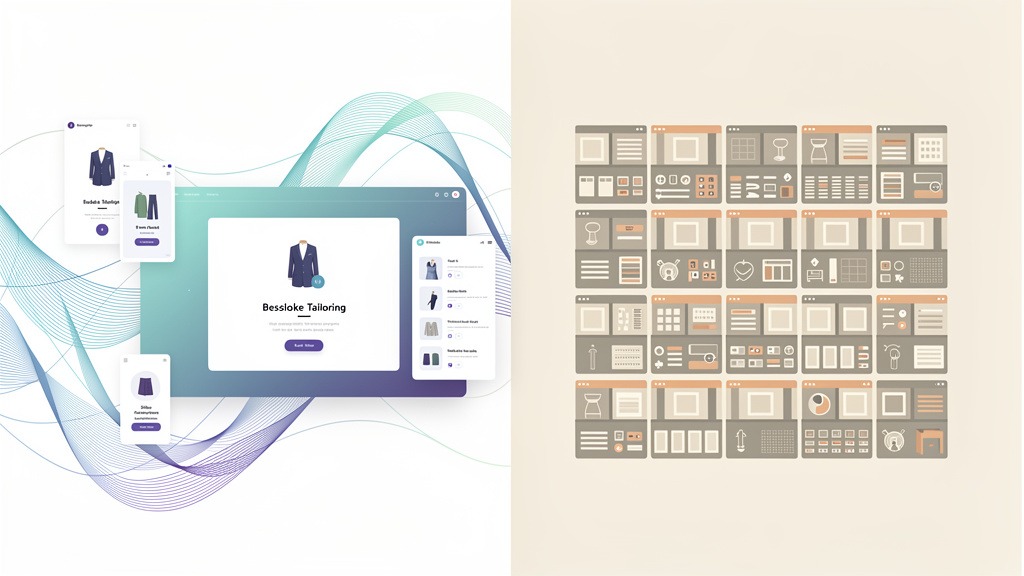
Want to know the secret weapon for component migration? Start with what I call an Interface Inventory. It's basically detective work: you systematically catalog every piece of UI that exists across your digital presence. No assumptions, just cold hard visual facts.
Here's a workflow that actually works: assign someone to own the design patterns and documentation (this person lives and breathes consistency), then pair them with a developer who understands your tech stack inside and out. The killer mistake? Building gorgeous components in isolation without testing them against real-world chaos like loading states, error messages, or content that's way longer than anyone expected.
With this foundation solid, let's explore why businesses are willing to invest serious time and resources into these migrations.
Strategic Steps for Component Library Migration
Component library migration isn't a weekend hackathon project. It's more like renovating a house while you're still living in it. The teams that succeed treat it as careful change management, not a dramatic code overhaul.

Step 1 to 2 Map the current interface before changing anything
- Run that Interface Inventory I mentioned. This isn't just taking screenshots; it's forensic analysis of every UI pattern currently in production. Buttons, inputs, navigation, cards, modals, icons, typography - catalog where each one appears, document the variations that exist, and honestly assess which decisions are inconsistent or broken.
- Document reality, not your wishful thinking. Note which components actually get reused across products, which are one-time experiments that somehow made it to production, and which ones fail basic accessibility or responsive design expectations. This prevents building a library that looks stunning in Figma but crashes and burns in real user scenarios.
Step 3 to 5 Choose what to migrate first and define the rollout strategy
- Build your component wishlist, then get ruthless about prioritization. Start with atomic components - buttons, inputs, typography - because they touch the most screens and deliver consistency wins quickly. These are your highest-impact, lowest-risk wins.
- Choose your migration philosophy: progressive or big-bang. Progressive migration replaces components page by page, reducing risk but extending timelines. Big-bang can accelerate coordination in larger organizations, but it amplifies launch risk and QA complexity. Most teams I've worked with start progressive, then speed up once patterns stabilize and confidence builds.
- Assign clear ownership and define "done." Each component needs a designer and frontend developer who own it together. Require a shared definition of completion: design system alignment, working code, and documentation that ships together, not as an afterthought.
Step 6 to 7 Integrate into products and keep the library healthy
- Plan your integration strategy early.
- Replace components opportunistically, then maintain them the same way. Swap old components behind feature flags when needed, and treat every bug fix as a chance to standardize. This opportunistic approach reduces maintenance overhead because fixes propagate everywhere from one central location.
Benefits teams usually experience pretty quickly:
- Development velocity increases through reusable components and fewer repeated design debates
- User experience becomes more coherent and predictable across products and teams
- Designer-developer collaboration improves through shared vocabulary and smoother handoffs
- Bug fixes become more efficient because one component update resolves issues across multiple surfaces
Building a component library that actually works requires the right tools to support development and adoption.
Essential Tools for Building and Managing Component Libraries
The fastest path to UI quality that doesn't require constant babysitting? A toolchain that connects design decisions, working code, and clear documentation in one smooth workflow. When tools make consistency feel achievable rather than theoretical, teams stop fearing UI changes and start embracing them.
Step-by-step toolchain for migration and adoption
- Begin with that Interface Inventory to expose legacy patterns and prioritize rebuilding efforts, especially across distributed teams working with older systems that have accumulated years of UI debt.
Migration pitfalls these tools help you manage
Use documentation to pay down technical debt incrementally - that's your opportunistic maintenance approach in action. Guard flexibility by defining allowed component variants upfront, otherwise components become too generic and fragile to be useful. Treat accessibility as a release requirement, not something you'll audit later when you have time.
While the benefits are compelling, migrating to a component library brings its own unique challenges and potential stumbling blocks.
Common Challenges and Lessons from Component Library Implementations
Component library migration succeeds when teams anticipate adoption resistance, technical debt, and breaking changes as normal parts of the process, not unexpected roadblocks. Across successful web redesign projects, the pattern that works consistently is clear ownership combined with tight feedback loops between design systems and production code.

Adoption resistance and fear of CSS changes
Pro tip: assign a library "steward" who handles requests and partners with product teams to validate components against real screens in actual applications, not isolated demos that look perfect but break in production.
Technical debt and inconsistent UI in real products
Technical debt is where component library migrations stall out: legacy Sass overrides, duplicated React components, and scattered icons from Font Awesome create gaps between your shiny new library and messy reality. Start by naming this debt explicitly, using an Interface Inventory to capture variants, edge states, and accessibility gaps before rewriting anything.
Here's the tradeoff: recreating every legacy variant preserves short-term visual parity, but it can cement inconsistency into your new system. Push toward fewer, more purposeful components when product teams agree the user experience is actually improving.
Versioning, packaging, and maintenance lessons
- Define semantic versioning rules and designate who approves major version bumps
- Deprecate before removing anything, with clear migration notes in your component library documentation
- Fix bugs once in the library instead of patching each individual application
Benefit recap: reusable components typically accelerate development, align visuals across teams, improve designer-developer collaboration through shared language, and reduce maintenance overhead because bug fixes ship from one central location.
Beyond technical implementation, understanding business impact and measuring success are crucial for any migration project.
Measuring Success and Quantifying ROI of Component Library Migration
Component library migration earns organizational trust when ROI shows up in daily delivery rhythms, not abstract design theory. In strong design system implementations, value becomes visible as faster builds, calmer maintenance cycles, and shared vocabulary that keeps web applications visually aligned. The most credible success stories combine qualitative wins with measurable adoption and delivery outcomes.
Benefits that translate to business value
Metrics to quantify ROI without manufacturing numbers
Track outcomes in categories your team can actually verify:
- Development velocity: release cycle time per feature, implementation time for known components
- Quality metrics: UI bug volume tied to components, regression rates, perceived performance changes
- Adoption indicators: teams installing the library, components implemented across products, Storybook.js usage patterns
- Maintainability measures: time to patch and publish via Rollup.js builds, support request volume
Before and after proof that stakeholders believe
Use your Interface Inventory to capture "before" screenshots, then showcase "after" pages using identical user flows, emphasizing consistency improvements and user experience gains. Assign a single owner to publish these metrics, or results drift into opinion and lose credibility.
To address common questions that come up during planning, let's tackle some frequently asked inquiries about component library migrations.
Quantitative Results and ROI
Component library migration proves its worth when teams can point to concrete delivery metrics, not just good vibes. For website component migrations to become credible success stories, measure outcomes before and after adoption across real web applications, then document the improvements as part of your internal narrative.
A measurement approach teams can replicate
Establish baseline metrics right after completing your Interface Inventory, then re-measure after installing your component library in applications - whether that's a React app documented in Storybook.js and bundled with Rollup.js, or another tech stack. In successful design system implementations, teams treat measurement as ongoing product practice, not a one-time spreadsheet exercise.
- Lead time: duration from ticket creation to merged UI changes
- Rework frequency: UI pull requests reopened due to styling regressions in Sass or component conflicts
- Defect tracking: UI bugs tied to inconsistent icons (Font Awesome usage drift) or component misuse
- Adoption rates: percentage of screens using library components versus local overrides or custom implementations
- Support load: frequency of "what are the design decisions here?" questions from frontend developers
What can derail measurement and how to prevent it
The tradeoff with recreating existing components too early is inflated effort without clear value. Use your component wishlist plus an opportunistic maintenance approach, migrating components when features naturally touch them rather than forcing comprehensive rewrites.
These measurement patterns set up our next topic: managing versions and handling breaking changes gracefully.
Versioning and Handling Breaking Changes
Versioning is how component library migration maintains trust while real web applications continue shipping features. Clear release policies let frontend developers adopt updates without fear of surprise design changes or broken CSS implementations. In practice, the most successful web redesign projects treat versioning as a product promise, not just a packaging detail.
A release policy teams can actually follow
Implement semantic versioning to communicate risk levels: patch releases for fixes, minor versions for backwards-compatible improvements, major releases for breaking changes in design system APIs. Document changes where teams already look - in Storybook.js alongside the affected components, not buried in separate wikis.
- Designate a release owner to approve breaking changes and write clear migration notes
- Gate releases with visual regression testing in React stories to catch unintended changes
- Bundle predictably with Rollup.js, tracking Sass and Font Awesome updates as first-class change items
- Reference your Interface Inventory baseline, avoiding recreation of existing components unless old behavior is demonstrably harmful
Managing breaking changes during adoption
When installing component libraries in applications, ship adapters or deprecation warnings before removals, and maintain a short-lived "opportunistic maintenance" track for teams that can't upgrade immediately. The tradeoff is extra maintenance work, but the payoff is steadier adoption across design system implementations.
Quick example from migration planning
Transform your component wishlist into a versioned roadmap, then publish website component migration examples as internal success stories that other teams can reference and learn from.
Next, we'll tackle the most common questions teams ask before and during migration projects.
Frequently Asked Questions About Component Library Migrations
What benefits should leaders expect from a component library migration
Component library migration accelerates delivery because frontend developers stop rebuilding identical UI patterns and instead compose reusable parts across web applications. The bigger win is user experience consistency, so every screen feels authentically connected to the same brand story, even across multiple products and distributed teams.
- Increased development speed and efficiency through reusable components, especially effective when building in React ecosystems
- Visual and experiential consistency across product lines, reducing "pixel debates" and last-minute design decisions
- Improved collaboration between designers and developers through shared vocabulary, often reinforced with Storybook.js documentation
- Reduced maintenance overhead because one fix in Sass tokens, icons (Font Awesome management), or shared components propagates safely across applications
- Important constraint: without clear adoption ownership, teams will fork components and lose the single source of truth benefit
What is the 80 20 rule in UI UX design and how does it guide what to build first
The 80/20 rule in UI/UX design is a prioritization framework: focus on the small set of components that power most real screens rather than edge cases. Use your Interface Inventory to identify patterns that repeat most frequently, then start there before expanding your component wishlist into specialized territory.
- The tradeoff with shipping a smaller core first is accelerated value delivery, but it leaves edge cases for later phases
- Workflow suggestion: assign one product owner for migrations and one technical owner for releases and bundling (often with Rollup.js) to maintain clear accountability
How do you integrate a library without breaking production
Start by installing your component library in applications behind feature flags, then migrate page by page or route by route. Many successful website component migrations begin by recreating existing components first, matching current behavior before redesigning visual elements.
- Track regressions and adoption internally, since success benchmarks vary significantly by team size and codebase complexity
What counts as a good UX case study and what is the difference between system design and implementation
Effective UX case studies explain the problem context, constraints faced, decisions made, and measured outcomes - which is why web redesign case studies often read like design system implementation documentation. System design defines rules and intent, implementation ships coded components, and successful component library stories document both approaches, including when an opportunistic maintenance strategy helps clean up bugs during regular development work.
In summary, migrating to a component library offers significant advantages for businesses looking to enhance their web presence and development efficiency.
Key Takeaways for Successful Website Component Migration
Successful migrations feel less like technical refactoring and more like brand evolution: consistent design decisions, calmer delivery cycles, and design systems that frontend developers actually trust across web applications. The clearest patterns in website component migrations, design system implementations, component library success stories, and web redesign projects all point to the same discipline: plan thoroughly, prove value incrementally, then scale confidently.
Start with intent and inventory
Run your Interface Inventory before recreating existing components, so your roadmap reflects actual usage patterns rather than assumptions about what matters. Build that component wishlist, then prioritize what unblocks product teams first rather than what looks impressive in demos.
Tooling that keeps adoption realistic
Use component library tools that make components visible and testable - React with Storybook.js for documentation and review processes, plus Rollup.js for reliable packaging. Standardize styling decisions with Sass, and treat Font Awesome usage as a governed dependency rather than ad hoc markup scattered across applications.
Protect delivery while you migrate
Assign clear ownership for installing component libraries in applications and establish migration guardrails that prevent breaking changes from derailing product timelines. The tradeoff exists: an opportunistic maintenance approach accelerates wins and builds momentum, but it can drift without proper review gates and version discipline.
This concludes our exploration of component library migration success stories and the strategies that make them work in real organizations.