Professional Website Design Process and Investment Guide
Professional web design isn't just throwing together some pages and calling it a day. It's strategic craft that transforms business goals into something visitors actually want to engage with. The real website design cost? It's not some mysterious number pulled from thin air. It comes from defined scope, how complex you want things to look, and the choices you make during discovery, design, development, and launch. Professional work also saves your budget by cutting down on do-overs and preventing scope creep.
What You Are Really Investing In
Professional web design balances how things work with how they look so your site feels intuitive, memorable, and trustworthy. A high-performing digital portfolio or lead-generation site guides attention, removes friction, and supports conversions. It doesn't just "look good."
Key budget drivers include:
- Scope definition drives everything. Page count, templates, and content volume set your baseline workload.
- Design complexity and user interface preferences, especially where user experience plus user interface design require custom flows.
- Feature depth like custom functionality plus integrations (payments, customer relationship management, booking).
- Technical foundation, including platform choice plus content management system decisions that shape long-term editing and scaling.
- Architecture choices, where site structure plus search engine optimization requirements affect planning and build work.
How the Process Shapes Web Design Services Pricing
Web design services pricing commonly uses pricing models like fixed project fees or hourly rates. The strongest cost control lever is a written scope of work, because scope is what teams build, test, and support.
Here's a trade-off to expect: template-based designs can reduce customization effort, while custom layouts, animation, and unique interactions raise time and coordination needs. A practical constraint: unclear ownership of content creation and approvals can stall timelines and inflate change requests.
The Professional Web Design Methodology in Seven Stages
A structured professional web design process reduces budget overruns by making decisions in the right order:
- Discovery and goal identification
- Scope definition and planning (sitemap, wireframing)
- User interface and user experience design (mockups plus user interface design, visual elements)
- Content creation and integration
- Development and coding
- Testing and quality assurance
- Launch and deployment
Quick example: a startup adding custom booking plus integrations will typically see more factors affecting website design cost than a brochure site using a pre-built layout.
Now that we understand the value, let's explore the typical stages involved in creating a professional website.
The Comprehensive Professional Web Design Process Steps
A high-performing website is rarely a burst of inspiration. It's the outcome of a repeatable professional web design process that protects strategy, timelines, and quality. The goal? Craft an experience that feels authentic and memorable while balancing functionality and appearance, so visitors can move through a user-friendly site with confidence. When teams skip steps, the project often pays for it later in rework, missed requirements, or uneven brand expression.
The Seven-Step Professional Web Design Process
- Discovery and Goal Identification
Start by defining success in business terms: leads, sales, bookings, applications, or portfolio inquiries. This step clarifies audience needs, competitive expectations, and the emotional connection the brand should create.
- Scope Definition and Planning
Translate goals into a scope that can be built and measured, including features, integrations, and constraints. Lock the site structure and search engine optimization needs early, then map a sitemap (page list and hierarchy) and wireframes (layout blueprints) to reduce surprises.
- User Interface and User Experience Design Direction
User experience defines how the journey flows; user interface defines how it looks and feels. Create mockups and user interface design concepts that set typography, color, spacing, imagery style, and interaction patterns, including any animation requirements.
- Content Creation and Integration
Content is the fuel for persuasion and findability, not a last-minute task. Draft, edit, and approve page copy, frequently asked questions, product or service descriptions, and assets for a digital portfolio when relevant, then integrate content into layouts so the design supports real messages.
- Development and Coding
Convert approved designs into a working website through front-end and back-end development. This is where customization decisions, performance considerations, and interactive functionality become real.
- Testing and Quality Assurance
Quality assurance verifies key journeys, responsiveness, forms, links, accessibility expectations, and content accuracy. A practical constraint: testing must reflect real devices and real content, otherwise launch-day issues often slip through.
- Launch and Deployment
Deployment moves the site from staging to live, with final checks for analytics, forms, and indexing settings. Plan a post-launch observation window, because real user behavior often reveals small friction points worth refining.
Workflow Ownership and Common Trade-Offs
Clear ownership reduces delays. In many projects, the client owns approvals and subject-matter accuracy, while the agency or designer owns craft, implementation, and quality assurance execution.
Trade-offs show up fast:
- More design complexity, customization, and animation can increase build effort and review cycles.
- Faster timelines can limit iteration, which may reduce polish in user interface and user experience preferences and edge-case testing.
How Process Choices Connect to Budget and Pricing
Budgets rise or fall based on scope clarity and the number of iteration loops, not just aesthetics. Pricing models vary by provider, commonly including fixed-scope packages, retainers, or hourly rates, and each model changes how change requests are handled.
Planning also shapes expectations for website design cost based on website type (for example, a marketing site versus an e-commerce experience) and website design cost based on business size (for example, a founder-led startup versus a multi-stakeholder organization with layered approvals). In practice, more stakeholders, more pages, and more compliance or brand governance typically require more coordination and quality assurance.
As we navigate the design process, understanding the various factors that influence its cost is essential for effective budgeting.
Key Factors Influencing Website Design Cost
Website design cost is driven less by "a pretty homepage" and more by what the website must do for a specific target audience and business goals. The biggest budget swings usually come from scope decisions: website type, design complexity and customization, content volume, and custom functionality and integrations. When the scope is defined early, pricing models like fixed project fees or hourly rates become clearer and surprises shrink.
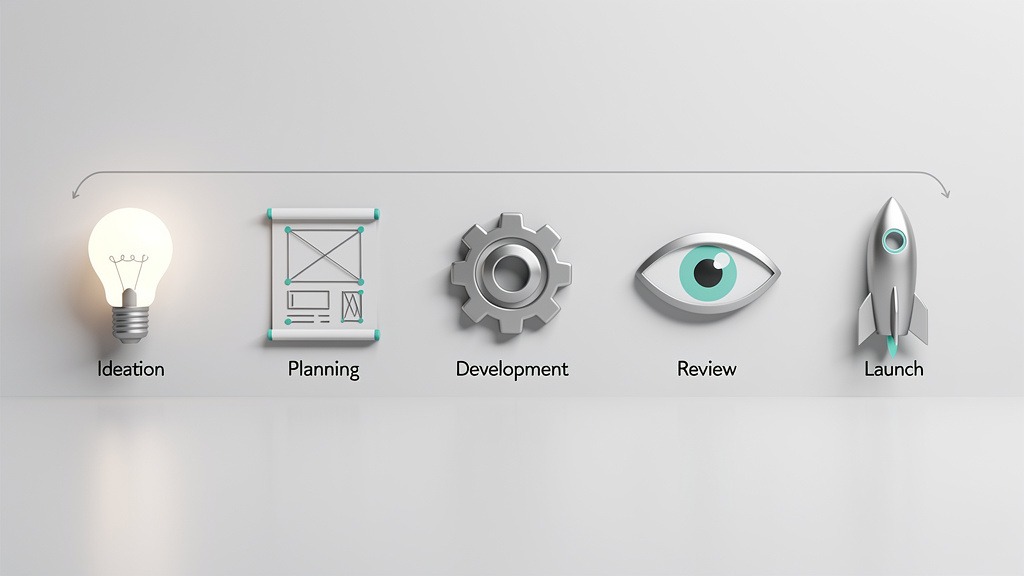
Primary cost drivers: website type, number of pages and unique templates, user interface and user experience depth, animation, integrations, content workload.
Common pricing models: fixed scope packages, hourly rates, phased builds, ongoing retainers.
Watch-outs: unclear requirements, unowned content tasks, and hidden website design costs like licensing and post-launch support.
Website Cost Ranges by Website Type and Size
A single landing page is often the smallest investment, but price still varies with conversion-focused user experience, copywriting, motion, and analytics tracking. A landing page built for paid campaigns typically needs stronger performance and testing readiness than a simple announcement page.
Brochure sites for small businesses, often 5 to 10 pages, usually sit in the lower to mid range of professional budgets. Cost rises when the site needs multiple unique page templates, a digital portfolio, custom illustration, or heavier content support.
An e-commerce build typically moves into a higher range because payment gateways and e-commerce requirements add complexity. Product page design, variants, shipping and tax rules, customer accounts, and checkout user experience all expand build time and quality assurance.
Corporate website and enterprise-level builds usually land in the highest range due to governance, multiple stakeholders, accessibility expectations, security reviews, and custom workflows. Enterprise scope often includes role-based content, custom search, localization, and deeper analytics.
Design Complexity, Features, and Integrations That Change the Quote
Design complexity and customization is a major lever. A template-based visual system can reduce design time, while a fully bespoke user interface and user experience approach adds exploration, prototyping, and refinement.
The next lever is project scope and functionalities. Custom functionality and integrations like customer relationship management sync, application programming interface connections, gated content, member portals, or marketing automation typically require extra engineering, documentation, and testing.
A practical constraint we see often is content readiness. When photography, product data, or approvals arrive late, timelines slip and costs can rise through rework or change requests.
Planning and Scope Definition That Prevents Budget Surprises
Strong website design planning turns "ideas" into buildable requirements. These custom website development steps help teams price accurately:
- Define target audience and business goals, including primary conversions.
- Create a sitemap and information architecture so page relationships are explicit.
- Identify required features and functionalities, including integrations and admin needs.
- Build a timeline using tools like Gantt charts, then assign owners for content, approvals, and quality assurance.
This is also where hidden website design costs surface, like copywriting, photography, stock licenses, accessibility remediation, training, and ongoing maintenance.
Website Cost by Platform Choice and Content Management System
Platform choice and content management system decisions shape both build effort and long-term ownership. WordPress can lower initial build time, but WordPress theme and plugin choices introduce licensing, updates, and compatibility risks. All-in-one builders like Wix and Squarespace can reduce setup effort, but customization boundaries can increase costs when requirements grow. WordPress and Shopify are common comparisons: Shopify streamlines commerce operations, while a fully custom-coded website offers maximum control but typically demands the highest engineering budget and ongoing support.
Beyond the site's features, the choice of professional, whether a freelancer or an agency, also plays a significant role in the final price.
Website Design Investment by Hiring Model
Direct Answer and Decision Lens
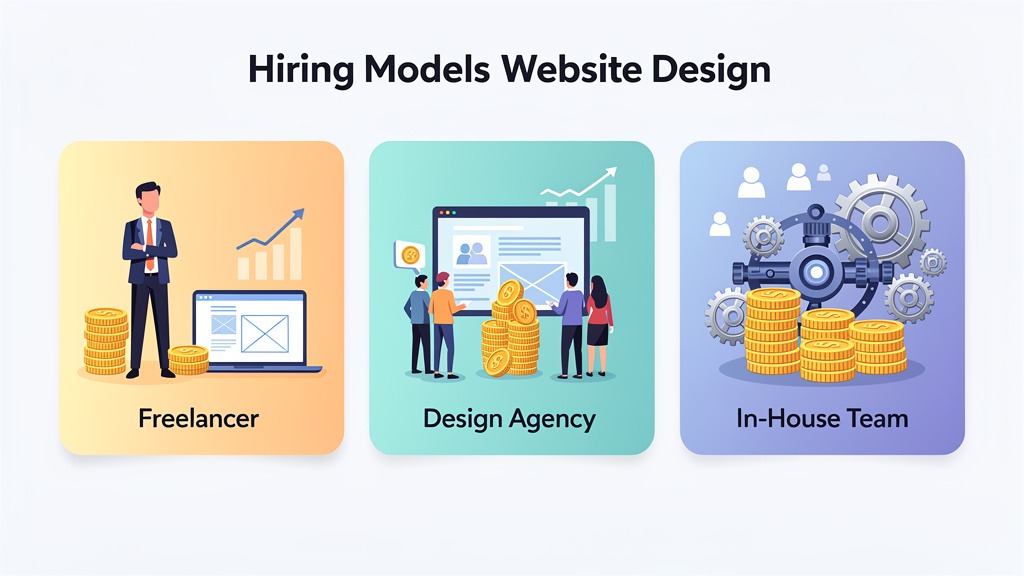
How much you invest depends heavily on the hiring model, because each option bundles a different mix of strategy, craft, and production capacity. A freelancer can be ideal for focused execution, while an agency or large firm can orchestrate a broader, more resilient delivery across functionality and appearance. Use this web design pricing guide mindset: match the vendor model to website type, design complexity, and design complexity and user interface and user experience preferences, not to a single hourly quote.
Freelancer Versus Agency Versus Large Firm Comparison
A freelancer often offers high creative intimacy and speed, but the project can hinge on one person's availability and skill breadth. An agency typically brings a small team, clearer roles, and a more predictable workflow for customization, animation, and quality assurance. A large firm can handle complex stakeholder alignment and enterprise-grade requirements, but overhead can raise budgets.
| Hiring model | Typical strengths | Typical trade-offs | Best fit |
|---|---|---|---|
| --- | --- | --- | --- |
| Freelancer | Direct collaboration, focused craft, flexible scope | Continuity risk, limited bandwidth, fewer cross-discipline checks | Lean brands, single-product sites, tight feedback loops |
| Small agency | Strategy plus design plus build coordination, stronger quality assurance, smoother handoff | More process, less spontaneity, higher minimums | Growth teams needing an intuitive, user-friendly site |
| Large firm | Depth across research, user interface and user experience, engineering, governance | Highest overhead, slower approvals, heavier documentation | Complex platforms, multi-team environments |
Workflow hint: assign one internal owner for decisions and approvals, even when a vendor leads execution. Unowned feedback is where timelines and budgets blur.
Hourly Versus Project Pricing Models and How to Protect Budget
Hourly rates pricing models work best when scope is still evolving, like exploratory design directions or unknown integration effort. Project-based fees work best when deliverables are defined, including page templates, content responsibilities, and revision limits.
To reduce website design cost, lock three items early: page count and templates, content readiness (who supplies copy and images), and acceptance criteria for performance and responsiveness. What can go wrong: unclear revision boundaries can turn "one more tweak" into weeks of billable churn.
Regional Rate Patterns and How to Plan
Many buyers ask for average website design hourly rates by region, but "average" varies by seniority, niche, and deliverables. In many markets, North America tends to price higher for comparable roles, Europe often sits in a mid-to-high band, and Asia can offer lower entry points, especially for production work. Use a vendor's digital portfolio to validate fit, and request a sample breakdown that separates strategy, user interface and user experience, visual design, and development time.
While understanding costs and processes is vital, avoiding common pitfalls can save both time and money during your website project.
Common Mistakes in Website Design Projects and How to Avoid Them
Most website projects go over budget or stall for one reason: preventable decisions made before anyone opens a design file. Clear website design planning and disciplined communication protect both creative momentum and cost control, especially when design complexity, customization, and content volume evolve midstream. The goal? A user-friendly site where functionality and appearance work together, not compete.
Mistake One - Unclear Objectives and Shifting Scope
When goals are vague, every stakeholder designs a different website in their head, and the build becomes expensive rework.
How to avoid it:
- Write a one-page "success definition" that names the primary audience, primary action, and top 5 pages.
- Separate "must-haves" from "nice-to-haves," and assign an owner to approve changes.
- Confirm website type early (portfolio, lead-gen, e-commerce, publication), because website type drives design complexity and user interface and user experience preferences.
Workflow hint: Put one decision-maker in charge of final sign-off, and schedule short weekly reviews to prevent late-stage surprises.
Mistake Two - Underestimating Design and Interaction Complexity
Animation, custom components, and advanced user interface polish can transform emotional connection, but they also increase build effort, quality assurance time, and long-term maintenance. Many teams approve motion concepts without asking what they cost to implement.
How to avoid it:
- Ask the designer to label each feature as "design-only" or "design plus development."
- Request a "complexity tier" for key templates (home, service, case study, blog).
- Make trade-offs explicit: fewer unique templates can fund better copy, stronger accessibility, or more refined interactions.
Include a line item for responsive web design cost, because mobile, tablet, and desktop layouts often require additional design decisions, not automated resizing.
Mistake Three - Misreading Pricing Models and Hidden Cost Drivers
A fixed fee can feel safer, and hourly rates can feel flexible, but both fail when assumptions are unspoken.
Cost-control checklist:
- Confirm what counts as "a page" (unique layout versus content entry).
- Clarify who supplies content, brand assets, and a digital portfolio of examples.
- Define rounds of revisions and what triggers a change order.
- Ask what happens after launch: hosting handoff, updates, and support.
If you're rebuilding an existing site, document what must be preserved (search engine optimization structure, integrations, analytics) because those constraints can influence website redesign cost in 2026 more than visual refresh work.
With a clear understanding of the process, costs, and potential pitfalls, let's address some frequently asked questions about professional website design.
Frequently Asked Questions About Professional Website Design
How Much Does It Cost to Get a Website Designer
Q: How much does it cost to get a website designer?
A: A reliable website design cost estimate starts with clarifying scope, because factors affecting website design cost include website type, required functionality, and design complexity and user interface and user experience preferences. Most providers explain web design services pricing using pricing models like fixed-scope packages or hourly rates, depending on how defined the requirements are.
Key cost drivers: design complexity, customization, content volume, integrations, and animation needs.
Practical constraint: unclear requirements often create hidden website design costs like rework, extra quality assurance cycles, or late content formatting.
How Much Does a 30 Page Website Cost and How Much to Charge for a 10 Page Website
Q: How much does a 30 page website cost?
A: Page count matters, but it's not the full math. A 30-page project can be efficient if layouts repeat, or expensive if each page needs unique user experience patterns, conversion storytelling, or advanced functionality.
Q: How much to charge for a 10 page website?
A: Pricing should reflect outcomes and effort, not just page quantity. In many teams, website design cost based on website type and website design cost based on business size shape the quote more than the raw page number, because governance, approvals, and brand risk change the workload.
Trade-off: faster delivery with reused components versus higher impact with bespoke pages and deeper user interface and user experience craft.
Workflow hint: assign one owner for content readiness; delayed copy is a common budget amplifier.
What Are the 7 Steps in the Design Process
Q: What are the 7 steps in the design process?
A: Many teams use a professional web design process that makes cost and quality predictable. These custom website development steps also align website design planning with a clear website design methodology.
- Discovery and Goal Identification: define audience, success metrics, and emotional tone
- Scope Definition and Planning: sitemap and wireframing, align site structure plus search engine optimization decisions early
- User Interface and User Experience Design: create mockups plus user interface design components, set visual elements and interaction patterns
- Content Creation and Integration: draft, edit, and place content so it supports conversion flow
- Development and Coding: build templates, components, and integrations
- Testing and Quality Assurance: check accessibility, responsiveness, forms, performance, and analytics tagging
- Launch and Deployment: migrate, go live, monitor errors, and stabilize
What Are the 7 C's of Website Design
Q: What are the 7 C's of website design?
A: The 7 C's are a practical lens for balancing functionality and appearance into a cohesive, user-friendly site: Clarity, Consistency, Credibility, Content, Context, Conversion, and Care. For example, a brand's digital portfolio often wins on visuals, but credibility rises when case studies are structured, scannable, and measurable.
To recap, let's summarize the essential takeaways for embarking on your professional website design journey.
Conclusion: Your Professional Website Design Journey
A professional website isn't a one-time visual refresh. It's a strategic investment that protects growth, credibility, and conversions. The most reliable way to control website design cost? Commit to a clear professional web design process that balances functionality and appearance, then choose a partner whose craft matches the required website type, design complexity and user interface and user experience preferences, and long-term customization goals.
A Practical Map From Idea to Launch
Use these custom website development steps as a final gut-check before signing a scope:
- Discovery and Goal Identification, clarify outcomes and the role of the site as a digital portfolio.
- Scope Definition and Planning, confirm sitemap, wireframing, and site structure plus search engine optimization requirements.
- User Interface and User Experience Design, review mockups plus user interface design, visual elements, and any animation decisions.
- Content Creation and Integration, assign ownership for copy, media, and approvals.
- Development and Coding, implement features with accessibility and performance in mind.
- Testing and Quality Assurance, validate forms, speed, responsiveness, and edge cases.
- Launch and Deployment, plan redirects, tracking, and post-launch fixes.
Cost Clarity and Partnership Fit
A usable web design pricing guide starts with the factors affecting website design cost, including website design cost based on business size and website design cost based on website type. Align web design services pricing to real work, especially when pricing models shift between fixed scope and hourly rates as requirements evolve.
What to Watch So Budgets Stay Honest
Expect hidden website design costs when scope is vague, content arrives late, or approvals stall. Choose a team whose website design planning and website design methodology make trade-offs explicit, so design ambition never outruns build reality.