Headless CMS Implementation Guide For Marketing Teams
## Understanding Headless CMS for Marketing Teams
A headless CMS for marketing is a content management system where the backend (content repository) is separated from the frontend (the front-end presentation layer). Marketing teams create structured data once, then deliver that content to many experiences using APIs, instead of rebuilding pages channel by channel.
Think of a restaurant: the kitchen creates the dishes, the dining room presents them. A headless CMS is the kitchen. Your website, app, in-store screen, or even IoT display is the dining room, each with its own design and pacing.
### What headless and decoupled mean in plain language
Headless means the CMS provides no front-end at all; content is delivered through APIs to a separate build. Decoupled means front-end templates can exist, but are optional; a team can use the CMS front-end or bypass it via APIs.
These terms are often used interchangeably because both separate concerns, but the technical difference matters when planning content editors' workflows, preview, and publishing responsibilities across teams.
### Why traditional CMS platforms often slow marketing teams
Many traditional CMS platforms bundle editing and delivery into one page-based content model where the traditional CMS and front-end are tightly coupled. That coupling can reduce campaign velocity, especially when a change touches templates, plugins, or page layouts.
Common pain points for marketers include:
- Content duplication across web, email, and app experiences, which risks inconsistent brand voice and SEO fragmentation.
- More dependency on developers for layout or component changes, limiting parallel workflows.
- Scaling challenges where scalability, performance, and Core Web Vitals become harder to protect as the site grows.
A headless approach shifts content into reusable models, so content editors can focus on messaging while developers craft immersive interfaces.
### How APIs and modern frontend frameworks enable omnichannel delivery
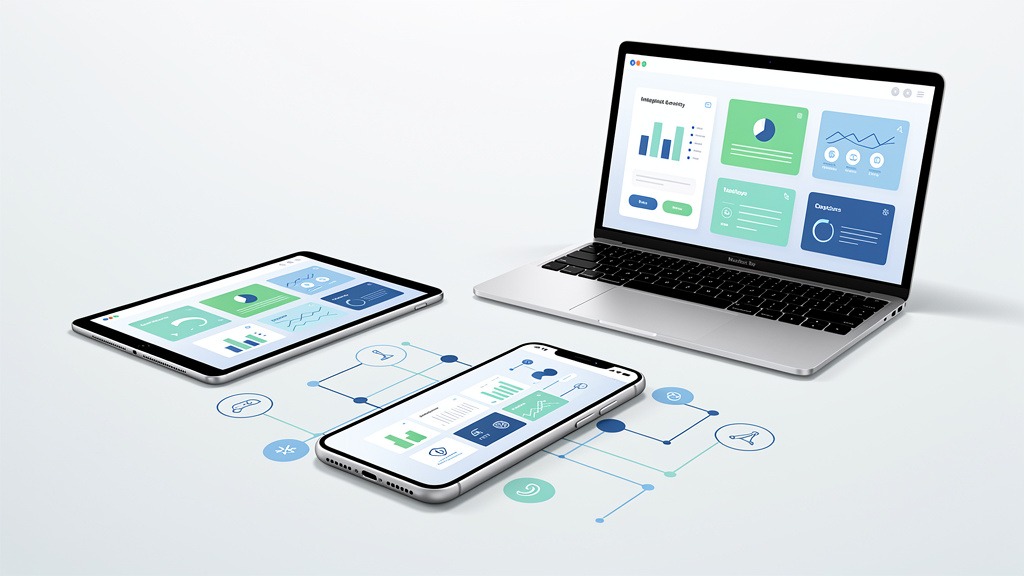
In a headless setup, APIs and front-end integration form the delivery pipeline: the CMS stores content, and the presentation layer requests exactly what each channel needs. Teams often pair a headless CMS with a JavaScript framework such as Next.js and React, Vue, or Astro to build fast, interactive user interfaces and more purposeful experiences.
This architecture supports omnichannel needs across web, mobile, and IoT, and can improve Core Web Vitals and performance by letting teams optimize rendering and loading patterns.
### Quick comparison for marketing stakeholders
| Capability | Traditional CMS | Decoupled CMS architecture | Headless CMS |
|---|---|---|---|
| Flexibility across channels | Limited | Medium | High |
| Security exposure | Broader surface | Medium | Often reduced at the delivery layer |
| Core Web Vitals and performance tuning | Constrained | Improved | Often strongest control |
| Marketer dependency on developers | Higher | Medium | Lower for content, higher for initial setup |
| Scalability and future-proofing | Harder | Better | Strongest fit for complex growth |
Trade-offs to plan for: rendering strategy, metadata management, preview, and fewer built-in SEO plugins. A headless WordPress implementation can work well when teams want WordPress editing familiarity, but still need API-first delivery, and it demands careful technical setup to protect SEO fundamentals.
Now that the basics are understood, let's explore how this modern approach compares to the traditional systems many marketing teams are familiar with.
## Headless Versus Traditional CMS Platforms for Marketing
Marketing teams feel the difference immediately: a traditional CMS ties content to page templates, while headless separates content from the front-end presentation layer so campaigns can move across channels without rebuilding. Headless approaches typically improve campaign velocity, support omnichannel needs, and reduce content duplication by treating content as structured data delivered via APIs.
### Coupled versus decoupled versus headless definitions that matter in practice
A traditional CMS and front-end is coupled: the editor experience, page-based content model, and templates are fused, which can slow parallel workflows when marketers and developers compete for the same release cycle.
Headless CMS is a CMS with no front-end provided at all. Teams model content once, then publish to web, mobile, email, in-app, or even IoT experiences through APIs.
Decoupled CMS is a setup where front-end templates exist but are optional. A decoupled CMS architecture can keep a templated site for speed while also syndicating content to other channels.
Terms get used interchangeably because both approaches break the tight link between content and rendering, but the technical difference is whether a default templated front end ships with the CMS.
### Side-by-side comparison for marketing teams
| Factor | Traditional CMS platforms | Headless CMS |
|---|---|---|
| Flexibility | Page-based changes often require template edits | Content reused across experiences via APIs |
| Marketer dependency on developers | Higher for layout, performance tuning, complex components | Lower for distributing content, higher for initial modeling |
| Omnichannel distribution | Commonly web-first, other channels require workarounds | Designed for web, mobile, and emerging surfaces |
| Security | Larger public surface area when CMS and site are one | Smaller public surface area when CMS is not the website |
| Scalability and performance | Can degrade as plugins and pages grow | Better positioned for scalability and performance when front end is optimized |
| Core Web Vitals and performance | Depends heavily on theme, plugins, and server tuning | Often improved if rendering and delivery are engineered for speed |
### Trade-offs, SEO realities, and when to choose each
Traditional systems like WordPress or Drupal can feel limiting for modern omnichannel campaigns because page templates and plugin stacks can create bottlenecks, inconsistent components, and content duplication across microsites.
Headless can introduce new responsibilities: rendering strategy, preview workflows, and metadata management. SEO plugins are not automatically available, so titles, canonicals, schema, and redirects must be intentionally implemented during the content management system setup. Core Web Vitals and performance can improve, but only with disciplined front-end engineering and release processes.
Use traditional when the primary channel is a single website and the team relies on templated authoring. Use headless or decoupled when brand experiences must stay consistent across channels and parallel workflows are a priority.
Beyond the fundamental differences, it's crucial to distinguish between headless and decoupled architectures to make informed decisions.
## Decoupled Architecture and Headless CMS Explained
Headless and decoupled CMS are often used interchangeably because both separate content from delivery, but the technical difference affects budgets, workflows, and SEO responsibilities. Headless CMS is backend-only, while decoupled CMS includes an optional front end that can be used, replaced, or bypassed. Marketing teams feel the shift as faster campaign velocity and cleaner omnichannel needs, but success depends on how the front-end presentation layer is built and governed.
### Clear definitions and why the terms get mixed up
Decoupled CMS is a CMS with a separated backend plus a front-end option. The platform may ship with templates, rendering, or preview experiences, but teams can still deliver content via APIs to other channels.
Headless CMS is a CMS with no front-end provided at all. The content repository stores structured data, and every experience is created in a separate frontend codebase. A headless WordPress implementation typically keeps WordPress as the content repository while a separate frontend handles rendering.
Terms blur in real projects because both rely on backend and frontend separation and APIs and front-end delivery, but the presence of an optional templated front end is the deciding line.
### Architecture comparison for marketing teams
Traditional CMS platforms bind traditional CMS and front-end templates to a page-based content model. That tight coupling often increases content duplication across pages and channels, and it can slow campaign changes when developers must adjust templates for every variation.
| Capability | Coupled traditional CMS | Decoupled CMS | Headless CMS |
|---|---|---|---|
| Flexibility | Low | Medium to high | Highest |
| Security surface | Larger | Split | Split, often smaller CMS surface |
| Scalability and performance | Template-bound | Better options | Best options with modern frontend |
| Marketer dependency on developers | Higher | Medium | Varies, often higher without strong tooling |
### How the system works and what can go wrong
- Backend: content repository, workflows, permissions, structured data.
- API: the contract that serves content to web, app, email, and more.
- Frontend framework: the “body” that renders pages and interactions.
- Hosting environments: often dual hosting, CMS hosting plus frontend hosting.
Key trade-offs: rendering strategy, metadata management, and the lack of familiar SEO plugins can impact Core Web Vitals and performance and search appearance if the technical setup is weak. Assign ownership early: marketing defines models and fields, engineering owns rendering and releases, and SEO owns metadata requirements.
With a clear understanding of the underlying architectures, let's delve into the practical steps marketing teams need to take for a successful headless CMS implementation.
## Implementing a Headless CMS for Marketing Teams Step by Step
A successful headless rollout is less about swapping software and more about designing a system where content moves as structured data through APIs to any experience. The most reliable path is to choose the right separation model, define the content you will reuse, then launch with an SEO and performance plan that protects Core Web Vitals and performance while increasing campaign velocity.
### Step 1 Choose the right architecture for your team
Headless CMS is a CMS with no front-end provided at all, so every channel uses an external front-end presentation layer. A decoupled CMS architecture separates the backend from delivery but can include optional front-end templates, which marketing can keep or bypass. Teams often use the terms interchangeably because both break the tight coupling of a traditional CMS and front-end, but the optional template layer changes ownership and SEO responsibilities.
Use-case guidance:
- Use decoupled when marketing wants an optional page builder or fallback rendering path.
- Use headless when omnichannel needs include web, mobile, and IoT and the team wants consistent structured data everywhere.
| Decision factor | Coupled traditional CMS | Decoupled CMS | Headless CMS |
|---|---|---|---|
| Flexibility | Page-based content model limits reuse | Moderate, optional templates | High, channel-first delivery via APIs |
| Security | Larger surface area on public front end | Reduced exposure possible | Often reduced exposure, CMS can stay private |
| Scalability and performance | Can strain at scale | Better with optimized delivery | Strong fit for scalability and performance goals |
| Core Web Vitals and performance | Depends heavily on theme and plugins | Better control over rendering | Maximum control over rendering strategy |
| Marketer dependency on developers | High for template changes | Medium | Low for content, higher for front-end features |
| Omnichannel distribution | Web-first | Web plus additional channels | Designed for omnichannel needs |
### Step 2 Map content for reuse and reduce duplication
1. Inventory high-impact content that suffers from content duplication (campaign landing pages, product narratives, FAQs).
2. Convert pages into modular structured data (hero, offer, testimonial, legal, CTA).
3. Define governance: who approves fields, brand voice, and component rules so parallel workflows stay safe.
Practical constraint: marketing teams often underestimate how many “one-off” page elements should become reusable modules. Start with the 20 percent of blocks that appear everywhere.
### Step 3 Implement delivery, SEO, and performance safeguards
1. Choose delivery endpoints and caching rules so the front-end presentation layer stays fast under peak campaigns.
2. Define rendering and metadata management early. Headless removes many traditional SEO plugins, so titles, canonicals, structured data, and redirects need explicit ownership.
3. Run a launch checklist focused on Core Web Vitals and performance, accessibility, and analytics parity before migrating all templates.
Workflow hint: evaluate the best headless CMS platforms for marketing teams using a pilot that proves authoring experience, preview, permissions, and how quickly developers can ship front-end changes.
Even with a clear roadmap, certain challenges and common pitfalls can arise during a headless CMS implementation, which marketing teams should be aware of.
## Avoiding Common Pitfalls in Headless CMS Implementation
Headless projects stumble when teams treat a CMS swap like a theme refresh. A smoother rollout comes from choosing the right architecture (coupled, decoupled, or headless), modeling content as structured data, and planning the SEO and front-end presentation layer work that traditional CMS platforms used to hide.
### Choose the right architecture for omnichannel needs
Headless CMS is backend-only, no front end provided at all. Decoupled CMS includes an optional front end (templates can exist, but teams can bypass or replace them). The terms are often used interchangeably because both use APIs, but the optional front end changes preview, governance, and who owns delivery.
Traditional systems like WordPress or Drupal often push a page-based content model that can increase content duplication and slow campaign velocity when content must be rebuilt per channel.
### Use this table to avoid hidden trade-offs
| Approach | Flexibility | Security surface | Scalability and performance | Marketer dependency on developers |
|---|---|---|---|---|
| Coupled traditional CMS and front-end | Lower | Higher (more exposed plugins/themes) | Mixed at scale | Lower for page edits |
| Decoupled CMS | High | Medium | High | Medium |
| Headless CMS | Highest | Often lower on CMS side, shifts to APIs | Highest potential, strong Core Web Vitals and performance when built well | Higher (front end changes need developers) |
### Headless WordPress implementation pitfalls
Using WordPress as a headless backend is common, but a headless WordPress implementation can lose marketer-friendly features like live preview and WYSIWYG editing. WordPress REST API is typically straightforward for basic fetching, while WPGraphQL can be better for precise, structured queries, but adds another layer to operate. Expect more reliance on specialized developers for Next.js and React rendering, routing, and metadata management.
### Headless CMS migration risks, costs, and SEO setup
Headless CMS migration complexity is often underestimated: content modeling, parallel workflows, and SEO responsibilities (titles, canonicals, schema, internal links) move into the front end, without familiar SEO plugins. Costs vary based on CMS platform fees, developer costs, and dual hosting (CMS plus front end), and can exceed traditional CMS costs if scope is unclear. Teams looking for marketing friendly CMS solutions should require a technical SEO plan, preview strategy, and release process before build starts.
To further address common concerns and clarify specific aspects, let's answer some frequently asked questions about headless CMS for marketing.
## A step-by-step implementation guide specifically for marketing teams.
A marketing-led headless rollout succeeds when the project is managed like a campaign system redesign, not a developer migration. The goal is higher campaign velocity without reintroducing content duplication or losing SEO accountability.
### Phase 1 Discovery that protects brand and speed
Start by naming the friction caused by traditional CMS platforms: slow approvals, a page-based content model, and channel-by-channel rebuilds. Translate that pain into requirements like omnichannel needs, parallel workflows, and measurable Core Web Vitals targets.
### Phase 2 Content modeling before platform selection
Model content as structured data first, then confirm the platform can deliver that data via APIs to each front-end presentation layer. A practical constraint: if a team copies “hero and CTA” blocks into multiple entries, duplication will return even with headless.
### Phase 3 Vendor selection and headless CMS cost planning
Choose for editorial experience, governance, and integration fit, then validate headless CMS cost as a range based on licensing, implementation, and ongoing front-end ownership. Trade-off: more flexibility usually means more responsibility for performance and QA.
### Phase 4 Launch and training checklist
1. Define roles for content modeling, SEO, and release approvals.
2. Build templates as reusable content types, not pages.
3. Train editors on publishing, previews, and component rules.
4. Run a pilot campaign, then refine workflows.
## Detailed discussion of team roles, structure, and new collaboration models required for a headless setup.
A headless rollout changes the operating model, not just the software. In the traditional CMS versus headless CMS shift, marketing stops “building pages” in a page-based content model and starts managing structured data that flows through APIs into a separate front-end presentation layer. That separation enables parallel workflows, but it also makes ownership boundaries more explicit.
### How responsibilities shift across teams
Marketing owns the message and the reusable content system, not the page layout. Content creators move from writing for one web page to authoring modules designed for omnichannel needs, which reduces content duplication when the same campaign appears across web, app, email, and more.
Developers own delivery and performance. Developers build and maintain the front-end presentation layer, API integrations, and the guardrails that protect Core Web Vitals while marketing iterates.
### The headless team structure that keeps momentum
Use clear “lanes” so speed does not become chaos:
- Marketing lead: prioritizes campaigns, defines success criteria, approves content patterns
- Content designer or strategist: defines modules, fields, and taxonomy for structured data
- Developer lead: owns front end, APIs, previews, and release workflow
- SEO owner: defines URL rules, metadata mapping, and duplicate-content controls
### Collaboration model that increases campaign velocity
Trade-off: marketing gains campaign velocity, but loses the illusion that traditional CMS platforms “handle the website automatically.” A practical constraint is preview: align early on who approves preview builds, and when developers must be involved to avoid broken layouts.
Example: a product launch becomes a set of reusable modules, while developers ship one front-end change that benefits every channel.
Next, let’s clarify what a “CMS setup” means in a headless implementation, so marketing leaders can plan with confidence.
## The featured snippet for 'CMS setup' is generic and not specific to headless CMS.
A “CMS setup” snippet often describes how to configure any website platform, but a headless build requires different decisions up front. A headless CMS for marketing succeeds when the team designs structured data first, then connects that content to a separate front-end presentation layer through APIs. This headless-focused checklist is built to replace a generic content management system setup with steps that protect campaign velocity and omnichannel needs.
### What makes a headless CMS setup different
Traditional CMS platforms usually assume a page-based content model, where content and layout are tightly linked. Headless (and decoupled CMS architecture) separates content from presentation, which reduces content duplication across channels but adds new coordination points.
Trade-off to plan for: marketing gains parallel workflows across web, email, and in-app surfaces, but the front end and integrations must be intentionally owned, tested, and maintained.
### Featured snippet ready steps for headless CMS setup
1. Define reusable content models as structured data (pages, landing sections, product blocks, FAQs).
2. Map omnichannel needs by channel (web, mobile, email, paid landing pages) and the content each channel consumes.
3. Choose a headless CMS and governance model that fits marketing friendly CMS solutions (roles, approvals, versioning).
4. Design the front-end presentation layer approach (custom site, app, or a decoupled option).
5. Specify APIs and delivery rules (what is published, when, and how channels fetch content).
6. Plan headless CMS integration with marketing stack (analytics, experimentation, forms, CRM handoffs, localization).
7. Create an SEO and Core Web Vitals launch checklist (routing, metadata fields, redirects, image handling, caching).
8. Run a pilot campaign and iterate, then migrate the rest in waves to avoid reintroducing content duplication.
### Ownership checks before launch
Marketing should own content models and editorial workflows. Engineering should own API reliability, the front end, and performance budgets. For teams considering headless WordPress implementation, confirm who maintains plugins and preview tooling so marketers can review changes without blocking releases.
Next, we will answer the most common questions marketing teams ask about headless CMS for marketing.
## Frequently Asked Questions About Headless CMS for Marketing
### What is the difference between headless and decoupled CMS
**Q: Are headless and decoupled the same thing?**
A: The terms are used interchangeably because both separate content from delivery, but there is a technical difference. Headless means no front-end is provided at all, while decoupled means a front-end exists but is optional and can be bypassed. In practice, both support omnichannel needs through APIs and structured data, but ownership and tooling differ.
**Q: When should a marketing team choose each approach?**
A: Use headless CMS for marketing when web, mobile, and IoT experiences must share the same structured data and campaign velocity matters. Use decoupled CMS architecture when marketing wants the safety of managed templates while still enabling parallel workflows across channels.
### How does headless compare to traditional CMS platforms like WordPress or Drupal
**Q: Why do traditional CMS platforms feel slow for campaigns?**
A: Many traditional CMS platforms bind a page-based content model to a traditional CMS and front-end theme layer, which can increase content duplication across pages and channels. Marketing often waits on developers for template changes, releases, and performance tuning.
| Capability | Traditional CMS platforms | Decoupled CMS | Headless CMS |
|---|---|---|---|
| Flexibility | Tied to templates | Flexible, templates optional | Highest, custom front-end presentation layer |
| Security | Larger public surface | Reduced surface | Reduced surface, fewer front-end hooks |
| Core Web Vitals and performance | Depends on theme and plugins | Tunable | Tunable, front end can be optimized |
| Marketer dependency on developers | Higher | Medium | Medium to high without good tooling |
### What should we know about headless CMS for SEO
**Q: Is a headless CMS for SEO automatically better?**
A: Not automatically. Headless can improve Core Web Vitals and performance by letting teams craft a faster front-end presentation layer, but SEO requires explicit metadata management, rendering decisions, and structured data output. A common trade-off is losing familiar SEO plugins, so proper technical setup is essential.
### What does implementation look like for marketing teams
**Q: Does this change our content management system setup?**
A: Yes. A headless WordPress implementation or headless CMS migration shifts work from page building to content modeling, API delivery, and shared governance.
**Quick checklist**
- Define structured data to avoid content duplication
- Decide rendering and metadata ownership early
- Align developer experience with marketer agility using parallel workflows
- Evaluate marketing friendly CMS solutions and best headless CMS platforms for marketing teams against scalability and performance needs
In summary, adopting a headless CMS represents a significant shift for marketing teams, offering numerous advantages when approached strategically.
## Key Takeaways for Marketing Teams Embracing Headless CMS
Headless CMS empowers marketing teams to craft immersive, consistent experiences across omnichannel needs while protecting campaign velocity. The core shift is moving from a page-based content model to structured data delivered through APIs into any front-end presentation layer.
### Architecture that matches modern delivery
Headless is a CMS with no front-end provided at all. Decoupled is a CMS where front-end templates exist but are optional (usable, replaceable, or bypassed). Teams often use the terms interchangeably because both separate content and delivery, but the technical difference changes ownership for rendering, metadata management, and SEO work.
### Why marketers feel the lift
A traditional WordPress setup (and similar traditional CMS platforms like Drupal) can slow launches because content, design, and deployment are tightly bound in a traditional CMS and front-end pattern, increasing marketer dependency on developers and content duplication. Headless enables parallel workflows, improves scalability and performance, and often supports Core Web Vitals and performance gains when the delivery layer is engineered well.
### Quick comparison for decision-makers
| Approach | Flexibility | Security | Performance | Marketer agility |
|---|---|---|---|---|
| Coupled | Lower | Mixed | Mixed | Lower |
| Decoupled | High | Higher | High | Medium to high |
| Headless | Highest | Higher | Highest | High with proper setup |
Choose coupled for small sites, decoupled for phased change, headless for web, mobile, and IoT at scale, but plan SEO details carefully to sustain scalability, performance, and Core Web Vitals.