Custom Website Design vs Templates Guide for Business Owners
Understanding Custom Website Design for Businesses
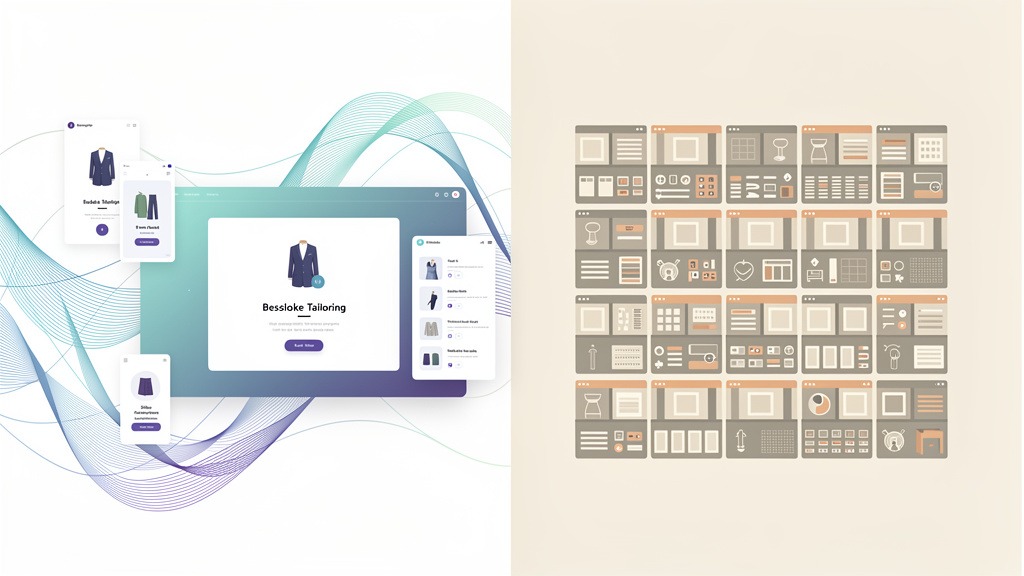
Think of custom website design as commissioning a bespoke suit versus buying off the rack. A development team builds everything from scratch around your specific business goals, brand story, and technical requirements instead of forcing you into someone else's pre-made layout. When you're weighing custom website design cost comparison, don't just look at price tags. The real question? How much control do you need to fuel growth and protect performance down the road.
What custom website design actually looks like
Custom design kicks off with discovery sessions. Deep dives into user experience objectives, content priorities, and measurable user journeys that matter to your bottom line. Then comes the visual identity work - deliberately crafting your logo placement, color scheme, typography, and overall aesthetic to create branding that feels authentic. Not borrowed. Not templated. Yours.
The strategic trade-offs you'll face
Here's the thing: you're trading Cost for Control and Speed for Uniqueness. Custom work hits harder upfront - both in dollars and timeline. Discovery to launch takes months, not days. But you get something back: flexibility to scale, clean code that search engines love, and the ability to add features without breaking everything.
Decision factors that'll save you headaches later
Budget and timeline are obvious. But dig deeper: what integrations do you need? Data flows? Compliance requirements? Long-term business goals that'll change how people use your site?
Critical point: someone on your team must own vendor selection, scope control, and ongoing maintenance. Otherwise your site drifts from business needs faster than you'd think.
Where website builders actually fit
Website builders like Wix or Squarespace bundle everything - hosting, domain, drag-and-drop editor. Great for speed, limiting for deep customization. CMS templates (WordPress themes, for example) give you more extensibility, but heavy modifications can turn maintenance into a nightmare.
Custom design offers unique advantages, sure. But understanding its benefits and drawbacks? That's how you make smart decisions instead of expensive mistakes.
The Advantages of Custom Web Design for Your Business
Custom web design works best when your business needs a website that feels unmistakably authentic, supports specific workflows, and evolves without breaking apart. Compared to pre-built layouts, custom builds prioritize brand alignment, conversion-focused journeys, and long-term flexibility. Instead of wrestling with business website template pros and cons, custom work shifts the conversation to a clearer question: what must your website uniquely do for your business to grow?

Brand alignment that screams "this is us"
Custom websites get designed around your unique design needs, not the other way around. Makes it way easier to craft a coherent visual identity where your logo, color scheme, typography, and overall aesthetic all reinforce the same brand promise.
But custom design supports branding beyond just visuals. Page layouts, micro-interactions, and content hierarchy can be shaped to create consistent emotional connections across every touchpoint. Homepage to checkout to support - it all feels connected.
User experience that actually matches how people buy
Custom builds start with user experience objectives, then shape the interface around real user journeys. Usually means fewer distractions, clearer calls to action, and navigation that matches how buyers actually evaluate your service.
Technically speaking, custom builds get structured with clean, specific code that aligns with search engine needs. Logical page templates, consistent heading structure, performance-focused components. SEO outcomes vary, but the advantage is control: fewer unnecessary features and more intentional architecture.
Scalability that grows with you
Custom web design extends cleanly when your business adds services, locations, integrations, or new content types. Teams can design systems that scale instead of repeatedly forcing new requirements into rigid layouts.
| Decision factor | Custom web design | Pre-built design theme |
|---|---|---|
| --- | --- | --- |
| Brand fit | Purpose-built for branding | Often requires compromises |
| UX journey control | Optimized per funnel stage | Limited by existing layout logic |
| Growth and features | Built to extend cleanly | Extending gets fragile fast |
| SEO and code | More control over structure | Constraints depend on theme quality |
Custom does come with real trade-offs to plan for:
- Higher initial cost and significant upfront investment (costs vary wildly depending on scope and team)
- Longer development timeline from discovery to launch
- Requires finding and managing a skilled development team (clear roles prevent expensive rework)
- You own ongoing maintenance and updates (assign an internal owner, even if a vendor executes)
Custom web design delivers powerful benefits, but it also brings specific challenges that businesses must face head-on.
Potential Downsides of Custom Web Design
Custom web design can deliver a site tailored to specific business goals, but the trade-offs are real and they bite: higher upfront investment, longer time to launch, and ongoing upkeep that never stops. The same choices that create distinctive visual identity and optimized journeys also add planning complexity, coordination headaches, and technical risk. Understanding when to choose custom web design starts with understanding what you'll need to fund, manage, and maintain.
The cost and timeline reality check
Custom builds often involve significant initial costs because teams must craft every branding detail. Logo usage, color scheme, typography, overall aesthetic - it all gets designed from scratch. Discovery, design, development, testing, and revisions extend timelines compared to other web design approaches. We're talking months, not weeks.
Team and maintenance responsibilities that follow you home
Custom work requires finding and managing skilled development teams, then keeping ownership crystal clear: who updates plugins, patches security holes, and maintains content workflows? Heavily tailored features, scalability for future growth, and clean code optimized for search engines can all increase long-term maintenance demands.
What to check before you commit
- Map integration requirements and edge cases before design begins
- Nail down who owns updates, QA, and performance monitoring after launch
Templates offer a completely different approach to building your online presence. Let's explore that world.
Exploring Website Templates and Their Functionality
What a website template actually is
A website template is a pre-designed layout that provides ready-made pages and styling. Your business can publish a professional-looking site without designing every element from scratch. This web design approach often gets delivered through DIY platforms, where the goal is cost effective launch that still supports clear branding and user experience objectives.

How templates work in the real world
Most templates pair a theme with drag-and-drop editors, letting teams place sections, swap images, and apply logo, color scheme, typography, and overall aesthetic. Many options include built-in features like navigation, contact forms, and responsive design right out of the box. Shortens development time and reduces upfront spend significantly.
Where template functionality hits the wall
Trade-off time: templates may not fit unique design needs or get fully tailored to specific business workflows. Website template limitations business teams run into include limited customization, feature constraints, and brand dilution when many sites share similar patterns.
Heavily customized templates can accumulate code bloat that hurts performance and SEO. Plus security risk when updates depend on third-party releases. Someone must own ongoing maintenance, or things break quietly.
Understanding template benefits can help businesses launch their online ventures quickly and efficiently.
Benefits of Using Website Templates for Your Business
Website templates can be the right choice when your business needs credible online presence fast, with predictable setup effort and clear path to launch. Among modern web design approaches, templates shine for speed, budget control, and approachable editing - especially when unique design needs aren't the primary driver.
Why templates work for speed and budget control
Website templates start from pre-designed layouts, so your team arranges content and refines branding instead of inventing every page from zero. Makes templates more cost effective upfront in many cases, which matters when the priority is validating an offer or getting leads quickly.
Templates also shorten development time dramatically. Page structure, navigation, and common components are already assembled. Many platforms pair templates with drag-and-drop editors, so marketing leads can update headings, swap images, or publish new landing pages without waiting in development queues.
Built-in design features that support early momentum
Many template ecosystems ship with built-in features like responsive design right out of the box. Pages adapt to mobile, tablet, and desktop without extra layout work. Templates can still express clear visual identity by applying logo, color scheme, typography, and overall aesthetic that feels intentional, aligned to user experience objectives.
Benefits and trade-offs side by side
| What templates do well | What to watch for in business use |
|---|---|
| --- | --- |
| Lower upfront cost and faster launch | Lack of uniqueness can dilute branding |
| Drag-and-drop editing for internal teams | Limited customization and feature constraints |
| Prebuilt responsive components | Code bloat can hurt performance and create SEO issues |
| Bundled add-ons and themes | Security vulnerabilities and dependency on third-party updates |
Compared with custom web design pros, templates trade tailored-to-specific-business flexibility for speed and convenience. However, template convenience often comes with certain limitations that businesses should acknowledge upfront.
Limitations and Drawbacks of Website Templates
Website templates are smart starting points, but they can cap how far your brand stretches as it grows. Even after weighing cons of custom web design, many businesses still outgrow pre-built systems when unique design needs, complex features, or distinctive visual identity become non-negotiable.
Why templates feel like wins at first
Templates are often cost effective because of lower upfront costs, faster development time, and speed to launch. Most come with drag-and-drop editors, built-in features, and responsive design out of the box, all anchored to pre-designed layouts.
Where templates restrict growth and branding
Templates can dilute branding when many sites share the same overall aesthetic, limiting control over logo placement, color scheme, typography, and emotional tone of experiences. Customization hits hard limits when sites need tailoring to specific business workflows or user experience objectives, especially around integrations and advanced interactions.
Hidden technical risks to check before committing
Heavily extended themes can introduce code bloat that slows performance and creates SEO issues. Security vulnerabilities can also appear when businesses depend on third-party updates, and those updates break custom tweaks or arrive late.
With clear understanding of both options, we can now compare them directly to help you make the best choice.
Custom Website Design vs Templates A Cost and Performance Comparison
Choosing between custom and pre-built web design approaches changes more than site appearance. The decision shapes Total Cost of Ownership (TCO) - upfront build plus ongoing maintenance - as well as SEO, performance, and conversion potential. Smart custom website design cost comparison focuses on budget, timeline, technical requirements, and long-term business goals. Not personal design preference.
The strategic trade-offs: cost versus control, speed versus uniqueness
Custom sites maximize control. Teams can craft branding and uniqueness through visual identity that matches logo, color scheme, typography, and overall aesthetic, then map user experience objectives into intentional user journeys.
Templates maximize speed. Core value is pre-designed layouts that launch quickly, often with drag-and-drop editors, built-in features, and responsive design out of the box. These are real pros of website templates, especially when businesses need momentum more than differentiation.
Cost comparison and hidden TCO drivers
Costs vary widely depending on scope, content, integrations, and who owns the work, but common cost structure is predictable:
- Templates: often available as free or premium options, with add-ons for plugins, advanced blocks, stock assets, and paid support
- Custom: typically delivered by freelancers or agencies, with additional ongoing costs for hosting, maintenance, monitoring, and support retainers
Surprise cost usually comes from rework. Website template limitations business teams hit include customization fees, complex migrations when switching platforms, and maintenance nightmares after heavy modifications.
Performance, SEO, and technical control comparison
Template ecosystems can ship extra scripts and styling that create code bloat. Code bloat slows load times, which harms user experience and Core Web Vitals, and can reduce search visibility in practice.
Custom builds can be optimized with clean, semantic code that helps search engine crawling. Custom work also gives tighter control over technical SEO elements like schema markup and URL structure, which matters when unique design needs and growth features must coexist.
Quick comparison table for decision makers
| Factor | Custom build | Template based build |
|---|---|---|
| --- | --- | --- |
| Upfront investment | Higher initial cost, significant planning | Lower upfront cost, budget-friendliness |
| Time to launch | Longer discovery to launch | Faster development time, speed to launch |
| Brand expression | Tailored to specific business, strong branding | Risk of brand dilution, less uniqueness |
| UX outcomes | Optimized journeys for conversion | Good defaults, harder to specialize |
| Flexibility and scalability | Easier to add features strategically | Limited customization, feature constraints |
| SEO and performance | Cleaner code, more control | Potential bloat, performance tuning needed |
| Risk ownership | Requires managing skilled teams | Dependency on third-party updates, potential security vulnerabilities |
Use this as lens for business website template pros and cons, and as trigger for when to choose custom web design when integrations, scalability, and SEO control become non-negotiable.
To guide your decision, consider a structured framework that aligns with your specific business goals.
Making the Right Choice When to Choose Custom or Template
Choosing between these web design approaches comes down to fit: unique design needs, required functionality, budget, timeline, and long-term growth plans. Use templates when speed and clarity matter more than complete control. Choose custom when websites must be tailored to specific business goals and systems.
Step by step decision framework
- Define the brand layer: branding, visual identity, logo, color scheme, typography, and overall aesthetic you must protect
- Map user experience objectives: key journeys visitors must complete without friction
- List technical requirements: integrations, data flows, and e-commerce rules
- Choose the build path: website builders and templates for predictable setups, custom for flexibility and ownership
- Assign ownership: name who maintains content, updates plugins or apps, and approves changes before work starts
When templates are strong fits
Templates work well for startups, small budgets, simple brochure sites, and tight deadlines - as long as business website template pros and cons are acceptable and customization stays controlled.
When custom design is the safer strategic choice
Custom is best for established businesses, unique functionality, e-commerce with specific needs, and long-term growth plans - especially when website template limitations business would constrain performance or integrations. This is also the practical moment to revisit custom website design cost comparison.
Quick checklist to ask before committing
- Do I need to integrate with proprietary software?
- Will my offering change significantly in the next year?
- Does the site need distinctive brand experience beyond layouts?
- What breaks if the template is heavily modified, and who fixes it?
- Is this the moment when to choose custom web design?
Many common questions arise when businesses face this important decision.
Real-World Case Studies or Examples
Custom and pre-built web design approaches become clearer when mapped to real decisions: branding pressure, integration risk, and who owns ongoing updates. Most reliable signal is whether sites must be tailored to specific business systems and user experience objectives, or whether speed and consistency matter more.
Example of a business that succeeds with a Wix layout
Local service brand with defined logo, color scheme, typography, and overall aesthetic chose Wix layout to launch quickly and stay focused on delivery. Team treated the project as business website template pros and cons exercise: keep visual identity consistent, limit plugins, and assign one person to own content updates.
What can go wrong: heavy add-ons and one-off tweaks can quietly increase maintenance time.
Example of a business that requires custom build
B2B company needed gated resources, unusual navigation, and integrations that shaped user journeys. Decision came from custom website design cost comparison that weighed long-term flexibility against short-term launch speed, which clarified when to choose custom web design.
Practical pattern here is headless CMS (content management system), which separates content from presentation so teams can evolve experiences without redesigning whole stacks.
The lesson both teams learned
If growth depends on distinctive branding and complex flows, expect website template limitations business to appear earlier than planned.
Next, we'll answer the most common questions business owners ask about choosing custom design or templates.
Frequently Asked Questions About Website Design Choices
Does 75% of website credibility come from design
Answer: The exact percentage varies by study and audience, so treat the "75%" claim as directional idea, not guarantee. In practice, first impressions often come from visual identity and clarity, then credibility gets reinforced by content, consistency, and user experience objectives.
- What to check: consistent logo use, cohesive color scheme, readable typography, and purposeful overall aesthetic
- Practical constraint: beautiful interfaces can still feel untrustworthy if navigation is confusing or key pages are missing
- Example: consultancy can look premium, but if contact pathways are buried, credibility drops fast
What are the 5 golden rules of web design
Answer: Many teams define "golden rules" slightly differently, but these five principles hold across web design approaches. Use them to evaluate both custom builds and pre-built layouts.
- Clarity first: each page answers one primary user question
- Consistency: branding, spacing, and patterns stay predictable
- Visual hierarchy: headings and calls to action guide attention
- Accessibility minded: readable contrast and keyboard-friendly layouts
- Performance aware: avoid heavy elements that slow key journeys
Caveat: If unique design needs are high, systems must be tailored to specific business workflows, not forced into rigid layouts.
What is the 3 second rule in website design
Answer: The "3 second rule" is commonly used as reminder that visitors decide quickly whether to stay, but exact threshold isn't universal. Focus on perceived speed and immediate relevance: what the business does, who it helps, and what to do next.
- Workflow hint: assign ownership for ongoing image compression and page cleanup after launch
- Trade-off: DIY website builders can launch fast, but added apps and effects can quietly slow pages
What are the 7 Cs of a website and which option is right
Answer: Practical "7 Cs" checklist is: Clear, Consistent, Compelling, Credible, Connected, Convenient, and Current. Use this to decide when to choose custom web design versus pre-built layout, especially during custom website design cost comparison.
- Choose custom when integration, content structure, or conversion flows must be deeply intentional
- Choose pre-built when speed matters and business website template pros and cons align with goals
- Watch for website template limitations business teams hit after heavy edits, because maintenance can become fragile over time
Key Takeaways for Your Website Design Decision
Choosing between web design approaches is strategic decision about growth, not aesthetics alone. Right path aligns budget with flexibility, so sites support branding, user experience objectives, and systems businesses depend on. Treat every custom website design cost comparison as comparison of outcomes, constraints, and long-term ownership.
Anchor the decision in brand and experience
Strong websites should translate visual identity into consistent logo, color scheme, typography, and overall aesthetic that feels authentic across every page. If unique design needs define buying journeys, custom work can be tailored to specific business priorities and help remove friction from key actions.
Use this checklist before committing
- List must-have integrations and workflows, then confirm who owns requirements and testing
- Map critical user journeys, then decide which pages must be purpose-built for conversion
- Validate editing models, including who will update content and how approvals work
- Write down "non-negotiables" for branding, accessibility, and performance
- Document risks upfront, including hidden costs and maintenance nightmares
Make the trade-offs explicit
Use the phrase business website template pros and cons as reminder to evaluate both speed and constraints. Most common surprise is website template limitations business teams encounter after heavy modifications, especially when updates and plugins collide. Reliable rule for when to choose custom web design is when websites must evolve, integrate, and stay coherent without fragile workarounds.