Essential Web Design Tools and Software for Business Websites
Understanding Web Design Tools and Their Purpose
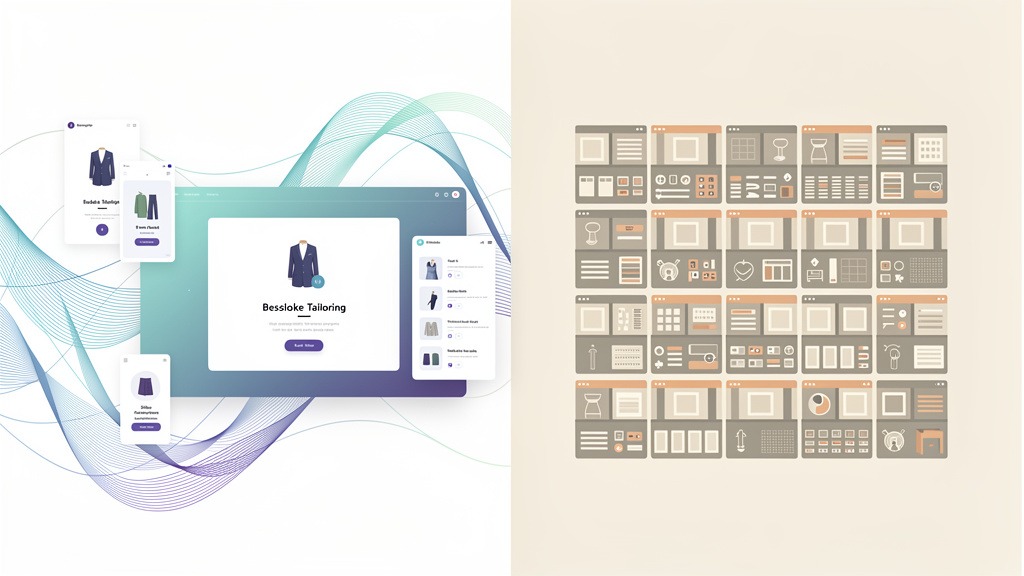
Web design tools form an interconnected ecosystem of software that transforms a business's website vision into something real—something that actually connects with customers. Here's the thing: a smart web design software comparison doesn't start with feature checklists. It starts by figuring out which tool does what job in your workflow. You're not hunting for more software; you're crafting a clear path to a website that genuinely serves your users while hitting your business goals.
What web design tools actually do for a business website
Web design tools exist to deliver four fundamental outcomes: clarity, speed, quality, and learning.
- Clarify direction: Get everyone on the same page about user goals, brand voice, and what actually drives conversions.
- Craft the experience: Build interfaces that feel natural, purposeful, and stick in people's minds.
- Build and manage: Publish pages, update content, and keep everything organized as you grow.
- Measure and improve: Learn from how users actually behave so you can reduce friction and boost satisfaction.
Here's a workflow reality check: Marketing often owns strategy and research. Design handles the interface work. Development builds and maintains everything. But someone—one person—needs to own the complete experience. Without that single owner, decisions fragment across tools and teams, creating a disjointed mess.
Core categories and where they fit in the workflow
Let's break down these categories so you don't get overwhelmed by endless software options:
- Research tools: Then you translate those insights into page priorities and content themes that matter.
- Prototyping and wireframe tools: Sketch out structure, test user flows, and catch problems before developers start building anything.
- Website builder platforms and content systems: Publish, manage, and scale your pages with proper governance in place.
- Measurement and optimization: Always confirm specific capabilities in the tool's documentation.
Common headache: Tool sprawl creates inconsistent components and messy handoffs between teams. A shared design system and single source of truth for components reduces this risk significantly.
AI in web design capabilities limits and what comes next
AI can accelerate great website development, but it works best as an accelerator, not autopilot. ChatGPT generates code snippets, layout ideas, content drafts, microcopy variations, and troubleshooting steps when you give it clear constraints and examples. It's also surprisingly good at reframing content around user needs and suggesting alternative information architecture based on your stated user goals.
But limitations matter—a lot. ChatGPT can't ship a full production website without humans validating brand accuracy, accessibility, security, performance, and CMS integration. AI outputs often feel inconsistent across different screen sizes and frequently miss edge cases like form validation, error states, and compliance requirements.
Modern design and build tools increasingly include integrated AI features: assisted layout suggestions, copy rewriting, image generation, and component variations. The trend points toward web design roles shifting toward stronger creative direction, systems thinking, and quality assurance judgment, while AI handles more repetitive drafting work.
Now that we've mapped the landscape, let's dive into some popular all-in-one solutions.
All-in-One Website Builders for Business Websites
All-in-one website builders combine page design, hosting, and content management in a single platform. This means teams can ship a credible business site quickly without stitching together multiple systems. Choose an all-in-one builder when you prioritize cohesive workflow, predictable maintenance, and a reliable path from vision to live pages. The trade-off? Less deep customization compared to fully custom development, especially around advanced SEO control and complex integrations.
What businesses get from an all-in-one builder
Direct answer: An all-in-one builder provides a unified system for designing, publishing, and maintaining websites. This integrated approach helps small businesses and beginner teams focus on user needs and customer satisfaction instead of infrastructure headaches.
Key decision points to validate:
- Template variety and brand flexibility (layout control, typography, reusable sections)
- Built-in e-commerce capabilities (products, checkout flow, tax and shipping settings)
- SEO essentials (page titles, meta descriptions, clean URLs, redirects, sitemap controls where available)
- Growth constraints (exportability, integration depth, team permissions)
Workflow reality: Assign one owner for brand consistency (usually a design lead) and one owner for content operations (marketing or ops). Conflicting edits commonly create "almost right" pages that never feel cohesive.
Wix and Squarespace comparison for business sites
| Criterion | Wix | Squarespace |
|---|---|---|
| --- | --- | --- |
| Best fit | Teams wanting lots of visual options and rapid iteration | Brands wanting polished, consistent aesthetics with tighter guardrails |
| Template and customization | Broad template variety, customization prioritizes freedom | Strong design coherence, customization prioritizes consistency |
| E-commerce | Works well for many small catalogs and service add-ons | Strong for curated catalogs and brand-led commerce experiences |
| SEO control | Covers many core SEO tasks, but advanced technical SEO can be constrained | Covers many core SEO tasks, but advanced technical SEO can be constrained |
| Typical constraint | Too many choices can dilute the design system | Guardrails can limit unconventional layouts |
Here's my interpretation, not a hard rule: choose the builder whose constraints match your team's design maturity. Freedom can accelerate a next-level website, or create visual drift.
Free plans and the hidden friction
"Free" often means learning tier, not serious launch tier. Many free plans include ads, builder-branded subdomains, and limited control over SEO-critical elements. These restrictions can weaken trust signals and conversion focus.
Before committing, confirm:
- Whether the public URL includes your branding
- Whether ads appear on key pages
- Whether e-commerce and analytics face restrictions
To reduce guesswork, pair the builder with research tools that reveal market demand and real user behavior. While all-in-one builders offer convenience, understanding their cost structures becomes crucial.
Analyzing Free Web Design Options and Their Limitations
Free web design options make smart starting points, but they rarely support professional business sites end to end. The most common gap isn't visual polish—it's control. Control over branding, SEO, analytics, and the ability to evolve your site's vision as user needs shift. For a next-level website, many teams eventually pair or replace free plans with professional web design tools that protect performance, credibility, and conversion.
What free website plans often limit for business websites
Free tiers usually trade long-term flexibility for short-term momentum. That trade-off can quietly block user goals, especially once marketing, sales, and support teams depend on the site daily.
Common limitations to watch for:
- Branding constraints that dilute trust and reduce customer satisfaction
- Restricted customization making it harder to match your site's vision across devices
- Limited SEO control, which can slow demand generation and discovery
- Fewer integrations, creating manual work for marketing and operations
- Basic analytics that describe traffic, but not user behavior or friction points
Workflow reality: Assign ownership early. A designer can own layout and accessibility checks, while marketing should own search intent research and content structure. This prevents decisions from stalling in review cycles.
How to pressure test a free tool before committing
Use a short, decision-focused test that ties tooling to outcomes, not preferences.
- Define the single business outcome for your first release (lead form submissions, demo requests, purchases).
- Prototype key flows with prototyping and wireframe tools before building pages. Teams can align on hierarchy and messaging.
- Check governance: who can publish, roll back changes, and maintain consistency as the site grows?
What can go wrong: Teams often build first, then discover the free plan can't support redirects, structured content, or the tracking needed to explain performance.
Evidence and caveats for decision makers
No verified external sources were provided in this brief, so treat plan features as vendor-specific and confirm limits in product documentation before migrating content. Free tools can still fit perfectly for temporary campaigns, internal portals, or early validation—as long as expectations stay explicit.
Example: A startup might validate messaging with a free site, then upgrade once user behavior data shows which pages drive meaningful user goals.
Beyond simple builders, many businesses weigh the choice between powerful platforms like Webflow and WordPress.
Webflow Versus WordPress An In-Depth Comparison
Choosing Webflow versus WordPress comes down to what you value most: design control with a tightly guided workflow, or open-ended flexibility with a larger ecosystem. Both can support a next-level website, but each platform demands a different kind of commitment from your team—from build skills to long-term ownership. The best choice protects your site's vision while meeting user needs and goals as the business grows.
Quick comparison for business teams
| Decision factor | Webflow | WordPress |
|---|---|---|
| --- | --- | --- |
| Ease of use and learning curve | Visual, design-led building, often faster for designers, but still requires learning structure and responsive behavior | Familiar editor for many, but configuration, themes, and plugins can add complexity |
| Design flexibility and customization | Strong layout control and interaction design, ideal for design-led experiences | Highly flexible via themes, builders, and custom development, but consistency depends on implementation |
| Hosting, maintenance, and security | Typically more centralized, with fewer moving parts for updates | Often requires active maintenance of core, theme, and plugins—security posture depends on upkeep |
| SEO capabilities and performance | Can be strong with clean structure and intentional performance choices | Can be strong, but performance and SEO often depend on theme quality and plugin selection |
| Cost drivers | Platform plan, potential add-ons, and build time for custom components | Hosting, premium themes, plugins, and developer time for customization and ongoing care |
| Ideal use case | Design-forward marketing sites, product storytelling, brand experiences | Content-heavy sites, editorial workflows, complex publishing, and extensive integrations |
How each platform supports growth and measurement
Webflow gets chosen when craft and consistency matter. Think creative teams needing to translate a site's vision into polished interfaces without handing every iteration to engineering. Webflow workflows can feel immersive for designers, especially when refining responsive layouts and interactions that create customer delight.
WordPress gets chosen when content operations drive the business. Think publication-style content hubs, resource libraries, or sites where many stakeholders contribute. WordPress can be shaped into almost anything, but the experience depends heavily on theme architecture and plugin discipline.
For either platform, plan measurement early.
Practical constraints and what can go wrong
- Ownership risk: WordPress can become fragile if plugins overlap or updates get deferred. Assign a clear owner for updates and backups.
- Consistency risk: Webflow can drift if multiple editors change styles without a design system. Lock standards before scaling pages.
- Performance risk: Both platforms can slow down when pages accumulate scripts, embeds, and apps. Treat performance as a design requirement, not a launch checklist.
If you're comparing website creation and design tools for a business team, decide who will maintain the site weekly, not just who will build it once.
Beyond these popular choices, other professional tools offer specialized capabilities for designers.
Professional Web Design Tools for UI and UX Excellence
Specialized UI/UX design tools help teams design the user experience before code locks decisions in place. The payoff is confidence: clearer user goals, fewer costly revisions, and a next-level website that feels intentional instead of accidental. Use these tools to translate your site's vision into screens that reflect real user needs and anticipate user behavior.
What professional UI and UX tools do best
Professional UI/UX design and user experience software excels at high-fidelity mockups, prototyping and wireframing, and design systems (reusable components, styles, and rules that keep a product consistent). These tools make it easier to craft purposeful interfaces, then validate flow and content hierarchy before development begins.
A practical constraint: If you don't define a design system early, teams often ship inconsistent spacing, typography, and button styles that dilute trust and customer satisfaction.
Choosing between Figma Sketch and Adobe XD
Figma and Sketch get compared frequently because both support advanced interface design, but workflows differ.
- Figma is known for real-time, browser-based editing, which proves valuable when designers, stakeholders, and developers collaborate live.
- Sketch is Mac-only, which can be a deal-breaker for mixed-device teams.
- Adobe XD is commonly used for UI design and interactive prototypes, especially in teams that already prefer Adobe-style workflows.
Pricing models vary by vendor and plan. In many cases, teams choose between subscription pricing and one-time licensing. The right choice depends on how often you'll use the tool and how many collaborators need access.
Research and validation tools that sharpen UX decisions
Great UI isn't guesswork.
Budgeting and handoff considerations
Use a web design cost calculator to account for software seats, prototyping time, and the testing tools needed to validate designs across devices. Workflow reality: Assign one owner for the design system, or component libraries drift and handoffs slow down.
As technology evolves, artificial intelligence is also impacting how websites get built.
AI and ChatGPT in Web Design Workflows
AI tools, including large language models like ChatGPT, can accelerate web design without replacing design judgment. Used well, AI helps translate your site's vision into clearer content, faster iterations, and more user-centric sites that align with real user needs. The best outcome isn't automation for its own sake—it's a more intentional path to a next-level website.
Where AI adds value in business website design tools
AI is strongest when the task involves language, structure, or options generation. ChatGPT can draft page outlines, rewrite headlines for different audiences, propose navigation labels, and generate code snippets for common UI patterns. Then a designer reviews and refines.
Pair AI with research tools to stay grounded in reality:
A practical AI workflow from idea to iteration
- Brief the experience: Describe your site's vision, audience, and the emotional tone that should drive customer satisfaction.
- Generate structured drafts: Ask ChatGPT for sitemap options, page goals, and section-by-section content blocks tied to user goals.
- Prototype microcopy: Produce multiple versions of CTAs, form labels, error states, and onboarding messages focused on user needs.
- Support build tasks: Request small code snippets, accessibility checklists, and QA test cases, then validate in the actual stack.
- Close the loop with behavior: Review analytics and session insights (for example from Contentsquare) to decide what to refine next.
Guardrails that protect quality and trust
Trade-off: Speed increases, but accuracy and originality can slip. Require human review for brand voice, factual claims, and compliance-sensitive content.
Workflow reality: Assign one owner for prompts and one owner for final approval so AI output doesn't fragment the experience across teams.
With so many options, understanding the cost implications becomes paramount for any business.
Calculating Web Design Costs and Choosing the Right Software
A realistic web design budget isn't a single line item—it's a system of connected costs that either protect or compromise your site's vision. A practical web design software comparison starts by separating software costs from build effort and ongoing maintenance, then matching each tool category to user needs, user goals, and the user behavior the site must support. When budgeting aligns with real workflow ownership, teams can craft a next-level website that earns trust and creates customer satisfaction.
What web design costs actually include for business websites
Direct answer: Web design costs typically fall into three buckets: tools, delivery, and operations. Choosing the right software is about reducing hidden operational drag, not only optimizing upfront spend.
- Software costs: Pricing and subscription tiers for design tools, website builder platforms, CMS, hosting, analytics, and an experience intelligence platform.
- Delivery costs: Strategy, UI design, content, development, integrations, QA, and launch coordination.
- Operations costs: Maintenance, security updates, content updates, SEO iteration, and performance monitoring.
Constraint to watch: Teams often underestimate integration and upkeep, especially when multiple plugins and handoffs exist across marketing and development.
Selection criteria that keep budgets predictable
Use this checklist to evaluate business website design tools without getting lost in features:
- Ease of use: Who can publish without breaking layout or SEO?
- Scalability: Can the system grow from a campaign site to a content engine?
- Integration capabilities: Can the stack connect cleanly to CRM, email, analytics, and ecommerce?
- Collaboration features: Can design, content, and approvals happen without version chaos?
- Measurement: Can you validate decisions with Google Trends for demand signals, Semrush for search strategy, and Contentsquare to understand user behavior and friction points?
Trade-off: More flexibility can increase maintenance complexity, while more guardrails can limit custom interactions.
Match tool categories to real personas
| Tool category | What it covers | Best fit persona | Cost risk to plan for |
|---|---|---|---|
| --- | --- | --- | --- |
| Website builders | Visual build, hosting, publishing | Small business owner | Platform limits and add-ons |
| CMS | Structured content and governance | Content team lead | Plugin sprawl and upkeep |
| UI and UX design tools | Wireframes, prototypes, design systems | Professional designer | Handoff gaps without clear specs |
| Code editors and dev tooling | Custom build and performance tuning | Developer | Higher delivery effort, lower platform constraints |
| Experience intelligence platform | Behavior insights and optimization | Growth and CX teams | Requires ongoing analysis ownership |
Workflow reality: Assign one owner for measurement and one owner for publishing, otherwise optimization stalls after launch.
Let's address some common questions users have about web design tools.
Frequently Asked Questions About Web Design Software
What are the top 5 website builders for business websites
Answer: There's no universal "top 5" because the best website builder platforms depend on your site's vision, team skills, and the user goals the experience must deliver. A reliable web design software comparison starts by scoring candidates against how well they support user needs, content workflows, and long-term ownership.
- Shortlist five based on: design control, SEO governance, integrations, performance responsibility, and handoff needs
- Check who owns updates: marketing, design, or engineering (ownership drives tool fit)
- Watch the hidden constraint: migration effort if the platform stops fitting future user behavior
Is Wix actually free and is Google Sites 100% free
Answer: "Free" usually means a limited launch environment, not a complete business solution. Many free tiers can help validate messaging, but they often restrict branding, measurement, or growth paths that business website design tools typically need.
- Use free plans for: pilots, internal pages, and early content tests
- Avoid free plans when: credibility, analytics, and conversion optimization matter
- Pair with professional web design tools when you need deeper UI decisions, stronger QA, or scalable content operations
Can ChatGPT build a website
Answer: ChatGPT can support website creation and design tools by accelerating planning, copy drafts, content structure, and code concepts, but it doesn't replace strategy, accessibility checks, or secure deployment. Treat AI as a co-pilot that helps teams build great websites fast, then validate outcomes against real user needs.
- Best uses: page outline options, microcopy variations, component pseudocode, QA checklists
- What can go wrong: inconsistent brand voice, inaccessible UI patterns, or unverified claims slipping into pages
- Workflow reality: assign one editor to approve final copy and one reviewer for compliance and risk
Is Webflow better or WordPress and what should guide the decision
Answer: In a Webflow versus WordPress decision, "better" means "better for your team's build process and maintenance reality." Choose based on who ships changes, how much design precision you need, and how much extensibility you expect.
- Use prototyping and wireframe tools to lock key layouts before committing to a platform
- Confirm requirements for SEO, integrations, and content roles before build starts
What tools help validate demand and improve the experience after launch
Answer: Use research tools to validate intent, then use measurement to refine the live experience.
- Match insights to testing tools so improvements are verified, not guessed
- Re-check assumptions as user goals evolve
How do I estimate budget quickly without guessing
Answer: Start with a web design cost calculator to separate software subscriptions, build effort, and ongoing operations. Then map each cost to outcomes, like faster iteration, clearer reporting, or fewer rebuild risks across business website design tools.
To wrap up, let's distill the key insights for making informed decisions.
Key Takeaways for Selecting Your Business Web Design Tool
Choosing the right tool is less about chasing features and more about protecting your site's vision from first draft to measurable growth. A useful web design software comparison scores options against user needs, team skills, and long-term ownership, not brand popularity. The best business website design tools help teams move from intent to customer satisfaction while adapting to real user behavior.
Start with fit not hype
Use three questions to anchor selection:
- What user goals must the experience deliver, and what user behavior signals success?
- Who owns building, updating, and approving pages after launch?
- What level of control is required: fast publishing, deep customization, or both?
Treat pricing and subscription as a scalability decision, not a line item. A lower subscription can cost more if the tool blocks iteration, collaboration, or integrations.
Match tool categories to real personas
Different categories solve different problems in the workflow:
- Website builder platforms serve small business owners and lean teams who need to build great websites fast with fewer moving parts.
- CMS and extensible stacks often suit developers and content-heavy teams who expect complex integrations and governance.
- Professional web design tools support designers who need precision, design systems, and handoff.
- Prototyping and wireframe tools clarify flows before build decisions harden.
- Code editors fit teams shipping custom components and performance work.
Choose based on measurement and iteration
Plan the feedback loop early. Pair that with testing tools to confirm improvements, not assume them.
A practical decision checklist
- Confirm whether Webflow versus WordPress aligns with internal skills and future flexibility.
- Validate integrations: CRM, analytics, forms, ecommerce, and collaboration.
- Run a web design cost calculator that includes build effort, content workflows, and ongoing maintenance.
- Pilot a small page set using your real content, not placeholder copy, to evaluate website creation and design tools under pressure.